
← All Lubb Business apps
Client Fulfillment
Customer Self-Service Portal
Your customers’ own sign-in: statements, invoices, services and online payment. Works as a reseller portal and a services portal too.
Category
Client FulfillmentWhere it sits in your Lubb Business menu.How you get it
Add-on appTick it in the App Store under the plan, alongside anything else you need.Works with
Stands on its ownShares your one database and sign-in with every other app.Overview
What Customer Self-Service Portal is for
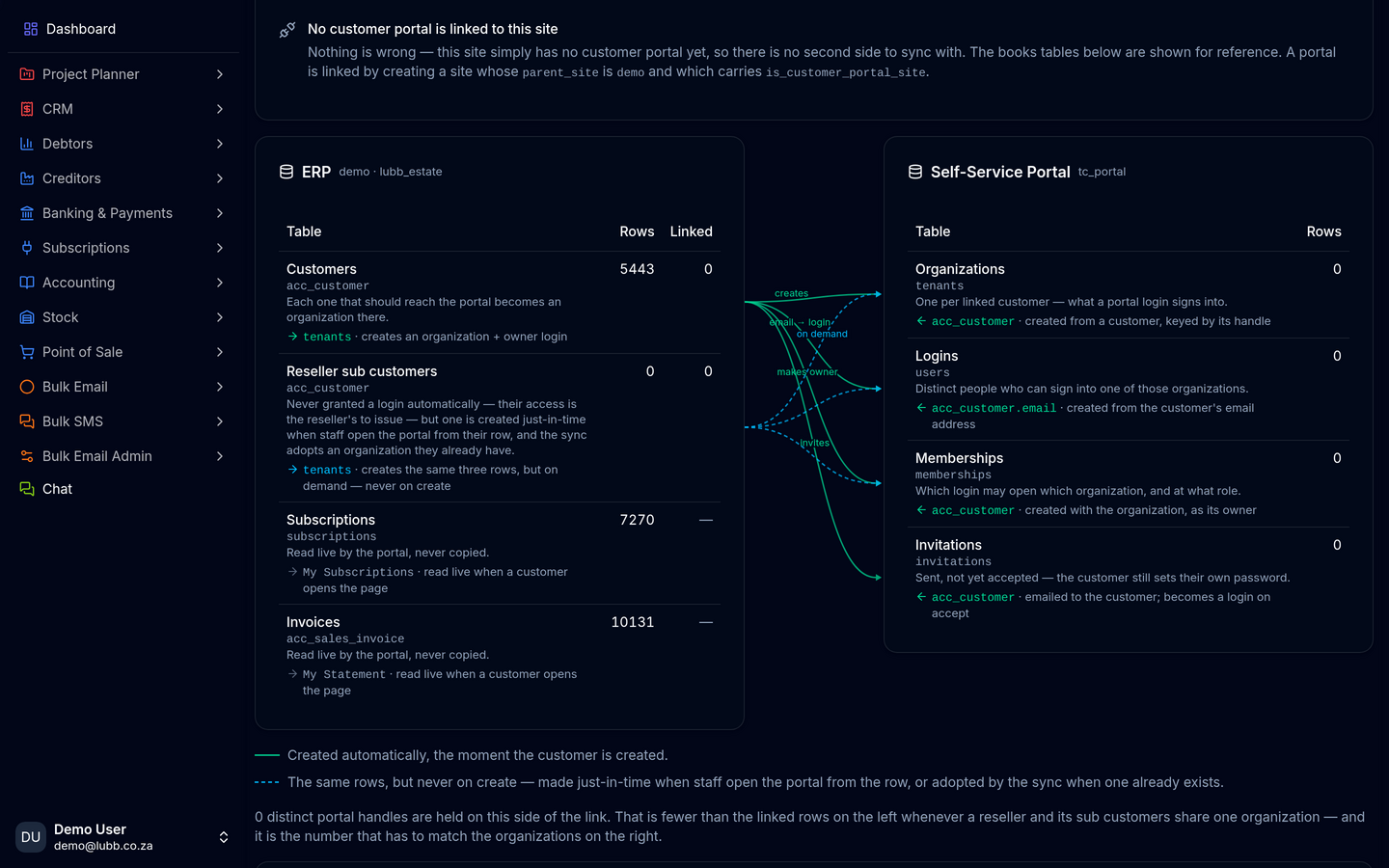
Give your customers their own sign-in to your business: their statements and invoices, the services they take from you, and online payment, all read straight off your books. From your side, see how much of your customer book can actually sign in — who has a login, who is still missing one, and your adoption rate as one figure. Decide who gets access without touching code: grant portal logins automatically or by invitation only, include or exclude resellers, and choose whether a login is minted when a customer is created or only once they activate a service. Reconcile the two sides from one page — your books accounts beside the portal's own organizations and users, every broken link, every organization with nobody able to sign in, every invitation still outstanding, and the scheduled job that closes the gap, with its run log and a run-now button. A Self-Service Portal dashboard tab reports the whole picture: adoption, logins granted, onboarding still incomplete, self-service activity, active and suspended services, outstanding balances, and every registration that failed and why. Use it as your customers' own portal, as a reseller portal where your resellers manage their accounts and the customers they bring you, or as a services portal where customers see and manage the services they take from you.
Key features
What you get
01See how much of your customer book can actually sign in
02Grant logins automatically or by invitation
on create or on activation03Books against portal accounts, with every broken link and pending invite
04A Self-Service Portal dashboard tab, and every failed registration with its reason